Change your iPhone's GPS
in one click.
SkiLocate simulates GPS on any iPhone from Windows over a USB cable. Polished map UI, address search, recent locations.
← desktop UI, not to scale
What you'll actually see.
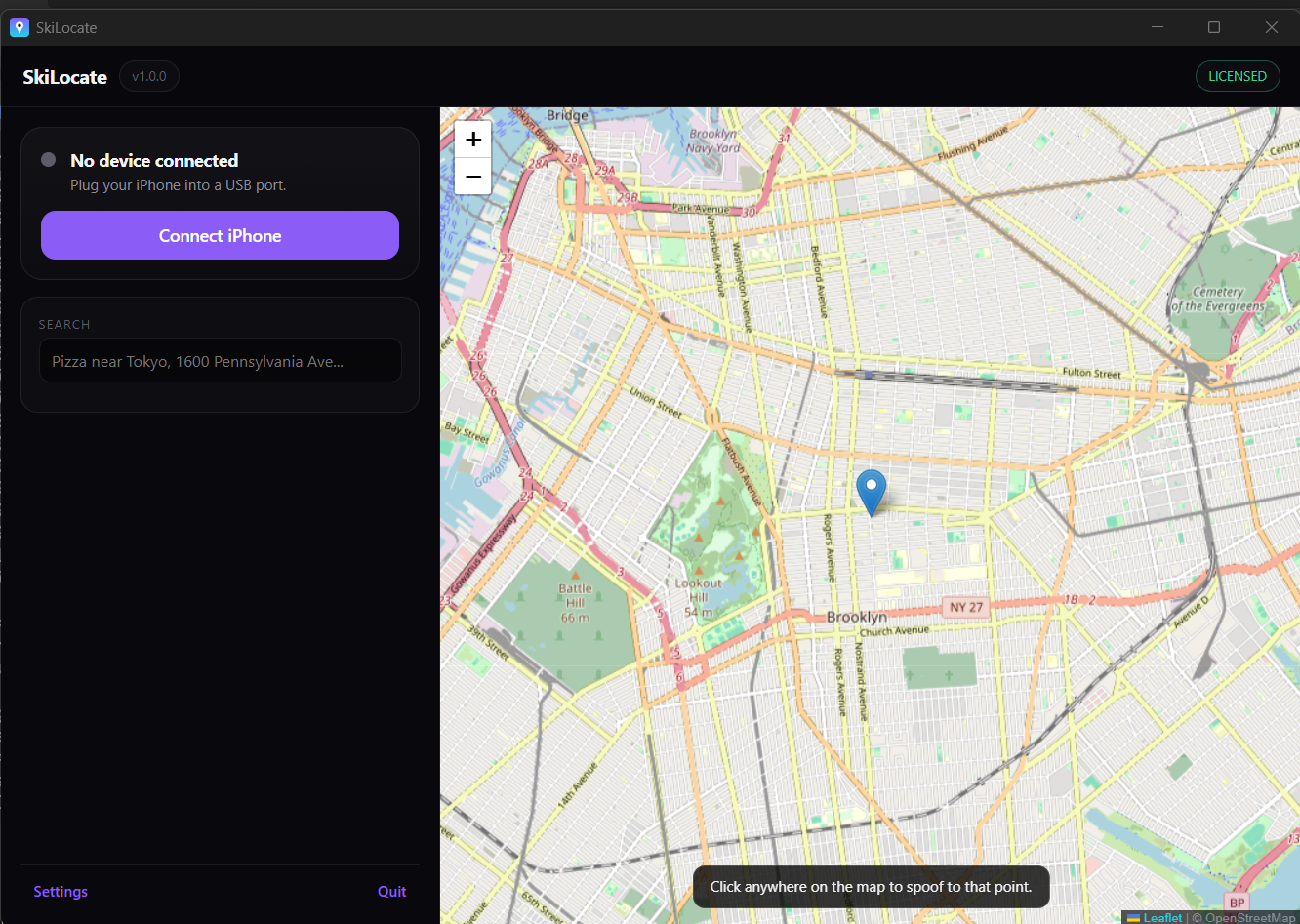
The full SkiLocate workspace - connect your iPhone, search any place, drop the pin. A walkthrough video is coming soon.
Six things that make it worth $9.99.
One-click GPS change
Click the map, click Change Location, done. Your iPhone reports the new spot instantly.
Plugs in over USB
Connect your iPhone with a Lightning or USB-C cable. No Wi-Fi pairing, no Bluetooth, no Apple ID sign-in.
Address-level search
Type any street address worldwide - powered by OpenStreetMap. House numbers, landmarks, POIs.
No jailbreak required
Works on stock iOS 16 / 17 / 18 / 26 via Apple's developer API. No custom firmware.
Recent locations
Quick-recall your last 6 spoofed spots. Right back where you were.
All updates during your sub
Buy your 3-month key, get every update we ship in that window - iOS 27 support included.
$9.99 every 3 months. No auto-renew.
- Free 1-shot trial (no card required)
- Activation key emailed instantly
- Sign in on a new PC anytime (one at a time)
- 3 months of unlimited use
- Email support
- 7-day no-questions refund
Common questions.
Do I need to jailbreak my iPhone?+
No. SkiLocate uses Apple's developer GPS simulation API which works on stock iOS 16, 17, 18, and 26. You just need to enable Developer Mode on the iPhone (Settings → Privacy & Security).
Does my iPhone need to stay plugged in?+
Yes. SkiLocate streams GPS through the USB connection. Unplugging the cable resets the spoofed location back to real GPS. This is how Apple's developer API works on iOS 16+.
Can I install it on multiple PCs?+
One activation key per PC. If you need to switch PCs, sign in with your Skitools account on the new one - it automatically re-binds the license. Just one PC active at a time.
What happens after 3 months?+
Your activation key stops working - SkiLocate will show the activation modal again. Buy a new $9.99 key from this page to continue. No auto-charge - you only pay if you want another 3 months.
What happens if my iPhone restarts?+
Restart breaks the simulation tunnel. Re-connect via USB and tap Change Location to re-arm.
Will this work on iPads?+
Yes - any iPhone or iPad on iOS / iPadOS 16+.
Is this legal?+
Simulating GPS on your own device is legal in most jurisdictions. What you use it for is your responsibility - some apps and services may restrict use.
Free trial - what's the catch?+
Set one location for free, then we ask for an activation key. The trial is per PC (tracked server-side), so reinstalling doesn't reset it.
How do I get my key after buying?+
Automatically. The moment your payment clears, we generate a key and email it to the address on the order. No manual sending.
Try it free. Buy if you love it.
One free location change, no signup. $9.99 unlocks unlimited use for 3 months.
Get SkiLocate